STEP 01
Scan your repo or URL
Auto-detects your stack, checks DTCG tokens, CSS focus rings, dark-mode contrast, and maps every defect to real user personas.
ZERO-DEPENDENCY CLI · AGENT SKILL · CI GATE
Run one command to check keyboard focus, light/dark contrast, mobile layouts, and design token drift — directly in your terminal, inside Claude/Cursor/Codex/Antigravity, or in GitHub CI.
# 1. Scan any project directory
npx @zintaen/dsaf check .

# 2. Install AI skill + MCP tool config
npx @zintaen/dsaf setup --agent claude

# 3. Export an interactive HTML report
npx @zintaen/dsaf audit . --html report.html
Works on Node ≥ 20 with zero runtime dependencies. Playwright checks are optional for live browser audits.
Works whether your app uses a full design system library or plain CSS and Tailwind.
STEP 01
Auto-detects your stack, checks DTCG tokens, CSS focus rings, dark-mode contrast, and maps every defect to real user personas.
STEP 02
Inspect clean Before vs. Pragmatic vs. North-Star drafts in an offline preview shell, or fix safe CSS issues with dsaf fix.
STEP 03
Block accessibility regressions in GitHub CI with SARIF reports and keep skills, guardrails, and workflows updated automatically with dsaf update.
Copy the exact command or workflow snippet for local checks, AI agents, or CI.
Shows Floor blockers, Reflex warnings, token compliance %, and impacted user personas — or renders a shareable offline HTML file.
npx @zintaen/dsaf check .
npx @zintaen/dsaf audit . --html audit-report.html --out ./audit-output
npx @zintaen/dsaf update . --check
npx @zintaen/dsaf runtime https://your-site.example.com --livedsaf setup copies the portable audit skill and registers the 8-tool MCP server (read-only on project files unless dsaf_audit receives outDir; dsaf_doctor updates ~/.dsaf/update-check.json unless offline) without overwriting your existing config.
# Claude, Cursor, Codex, Antigravity, or all at once
npx @zintaen/dsaf setup --agent all --scope user

# Or install only the MCP server entry into the current project
npx @zintaen/dsaf mcp install --agent cursor --scope projectUploads SARIF 2.1.0 alerts to GitHub Code Scanning and posts a sticky persona-impact summary comment on every pull request.
name: DSAF Gate
on: [pull_request]
permissions:
  contents: read
  security-events: write
  pull-requests: write
jobs:
  dsaf:
    runs-on: ubuntu-latest
    steps:
      - uses: actions/checkout@v7
      - uses: zintaen/dsaf@v0
        with:
          target: .
          fail-on-floor: "true"
          upload-sarif: "true"
comment-pr: "true"Preview safe CSS fixes with dsaf fix src --dry-run, wire edit-time hooks and GitHub workflows with dsaf setup, or keep external repos synced weekly via dsaf update.
npx @zintaen/dsaf fix src --dry-run
npx @zintaen/dsaf fix src --apply --backup
npx @zintaen/dsaf setup . --with-hook --with-ci --with-auto-update
npx @zintaen/dsaf update .Explore the before/after UI workbench and an editorial HTML audit report — built cleanly with native container queries and zero external frameworks.
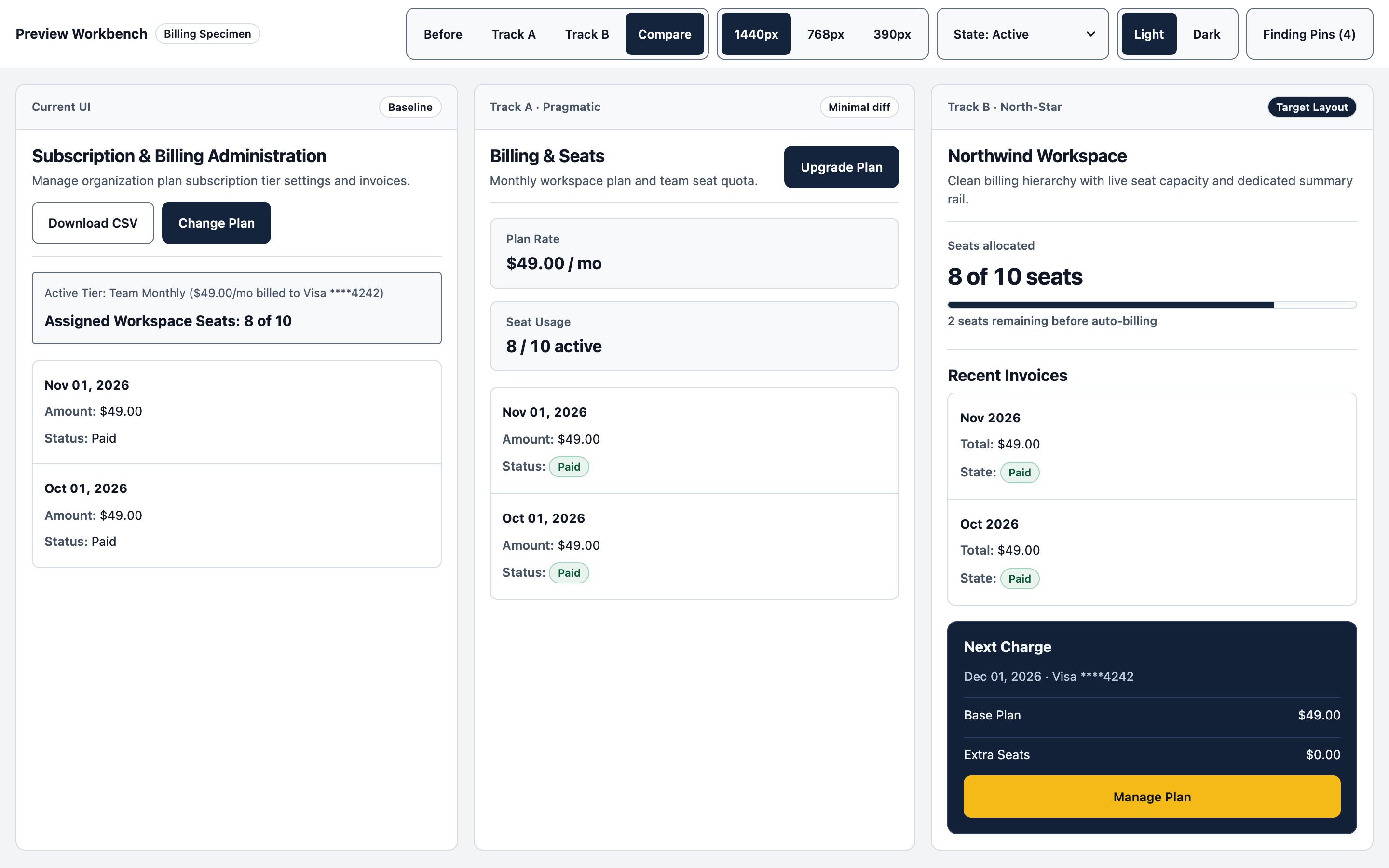
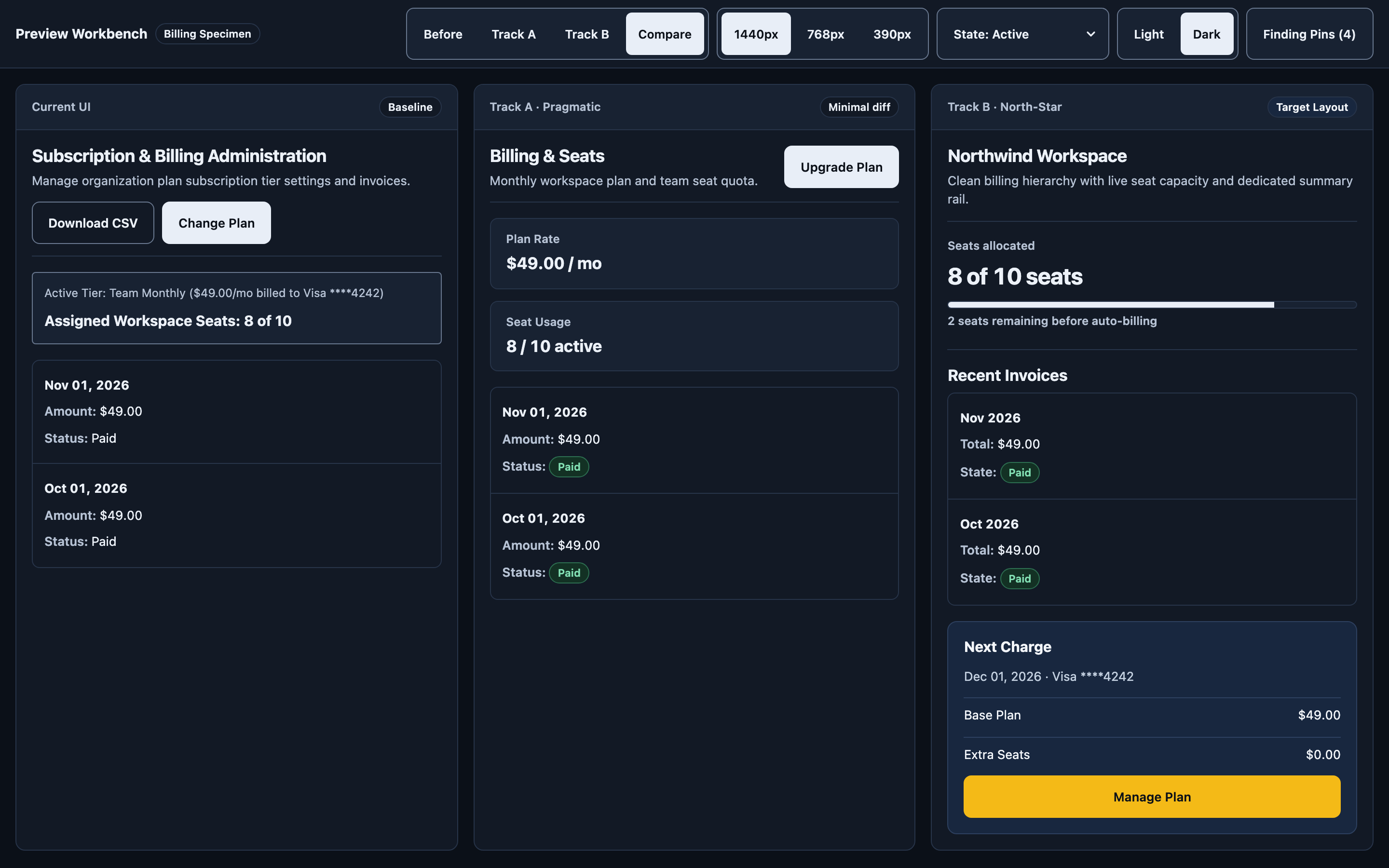
Verified highlights across recent DSAF milestones.
| Version | Highlights | Status |
|---|---|---|
| v0.9.3 | Added universal auto-distribution & freshness checks (dsaf update, cached npm update notices, zintaen/dsaf@v0 floating channel, dsaf setup --with-ci --with-auto-update, doctor Check #7, @latest MCP default), removed built-in auto-evolve scaffolding (8-tool MCP), and completed a full-codebase scanner, runtime, Preview Shell, and CLI hardening sweep. |
Zero-Dep + Auto-Update |
| v0.9.2 | Added 1-command onboarding (dsaf check, dsaf setup, dsaf mcp install); linked findings directly to user personas; added standalone HTML reports (--html); added live tab/disclosure/theme runtime checks; redesigned Preview Shell and docs homepage cleanly without filler boxes; adopted auto-evolve-strategy v1.2.0. |
Zero-Dep + Verified |
| v0.9.1 | Uncapped signal-driven personas + .dsaf/personas.custom.json merge; container-query Preview Shell responsiveness and simulated tablet/mobile checks. |
Container + Playwright |
| v0.9.0 | Added dsaf personas, 9th MCP tool, CSS Nesting (&) + Base UI rules, monorepo DTCG discovery, and mobile header/pill/table runtime probes. |
Playwright + OIDC |